Say hello to Okato. Bye bye, language barrier.
Play a meeting, a lecture, a call or a film, and Okato writes it down in your language as you listen. It all happens on your Mac, so nothing goes online.
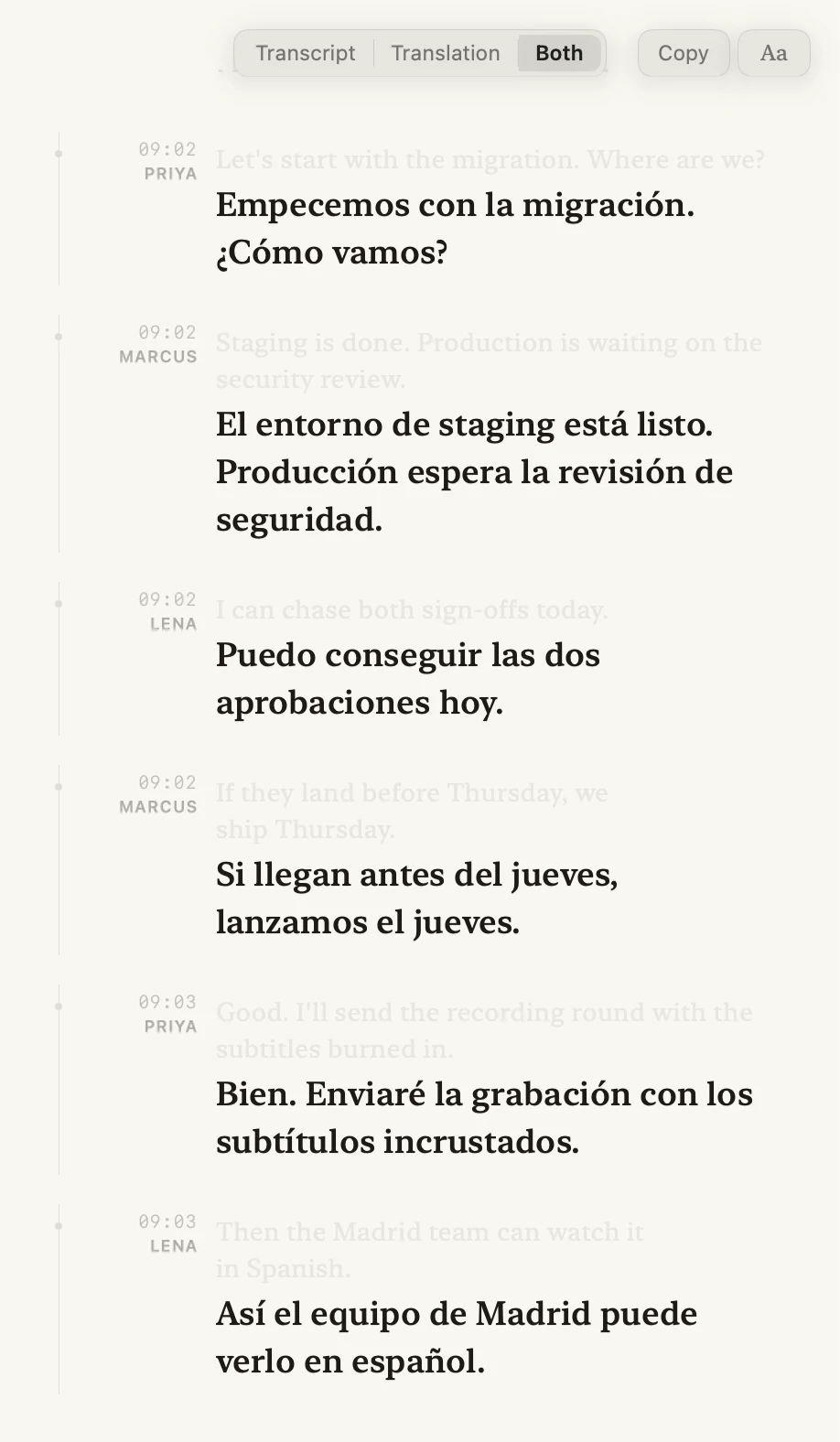
09:03
Lena
Then the Madrid team can watch it in Spanish.
Así el equipo de Madrid puede verlo en español.
£24.99 once · Apple silicon · macOS 15 or later



09:02
La reunión de las nueve, en español.The 9am standup, in Spanish.
Escolha a fonte, escolha o idioma, clique em Iniciar.Pick a source, pick a language, press Start.
- 1
Pick what to listen to
One app, everything your Mac is playing, or the microphone.

- 2
Choose your languages
Say what is being spoken, or let Okato work it out, and pick what to read it in.

- 3
Press Start
The transcript fills in as people talk, each line translated as soon as it is finished.

No meeting bot. Okato listens to the call on your Mac, so nothing extra joins the meeting and nobody has to let it in.
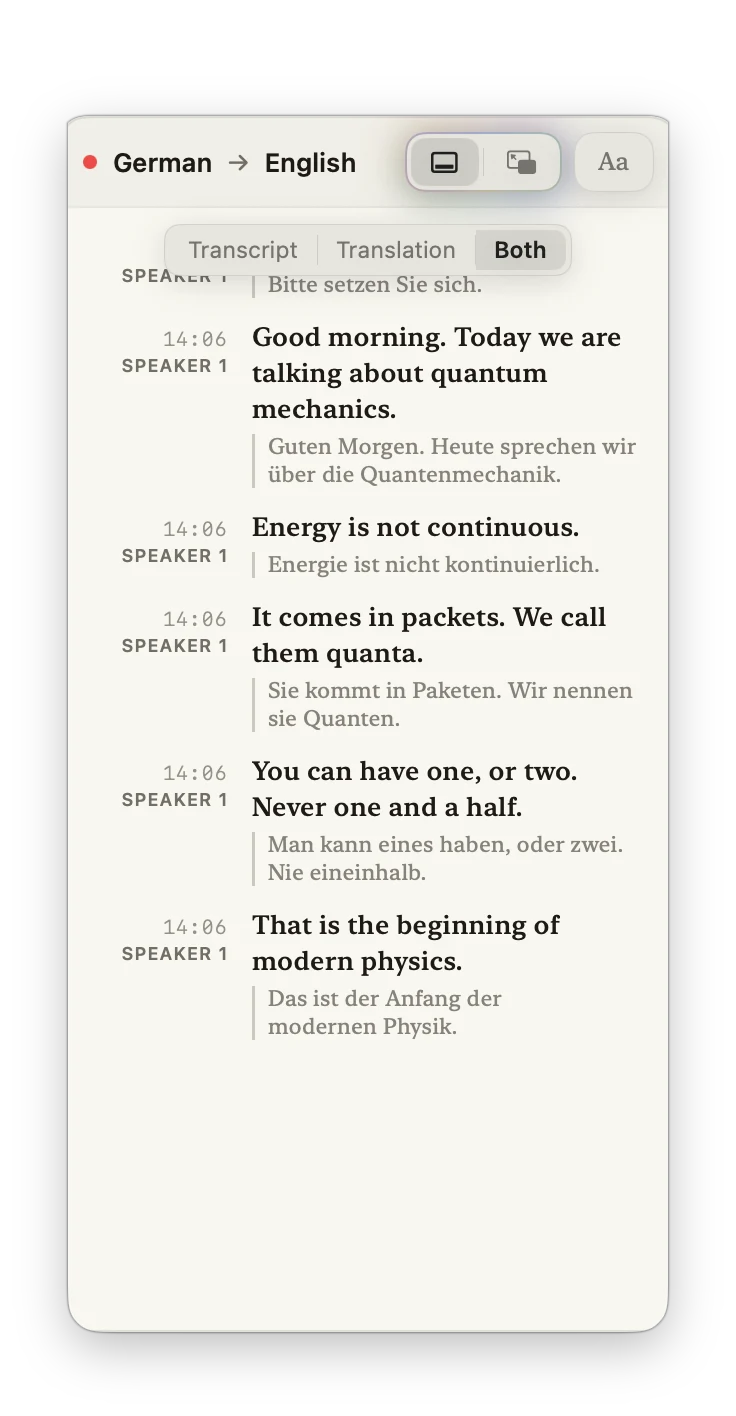
El original, la traducción, o las dos.The original, the translation, or both.
Switch whenever you like. Name a speaker once and every line changes with it.
09:02
Priya
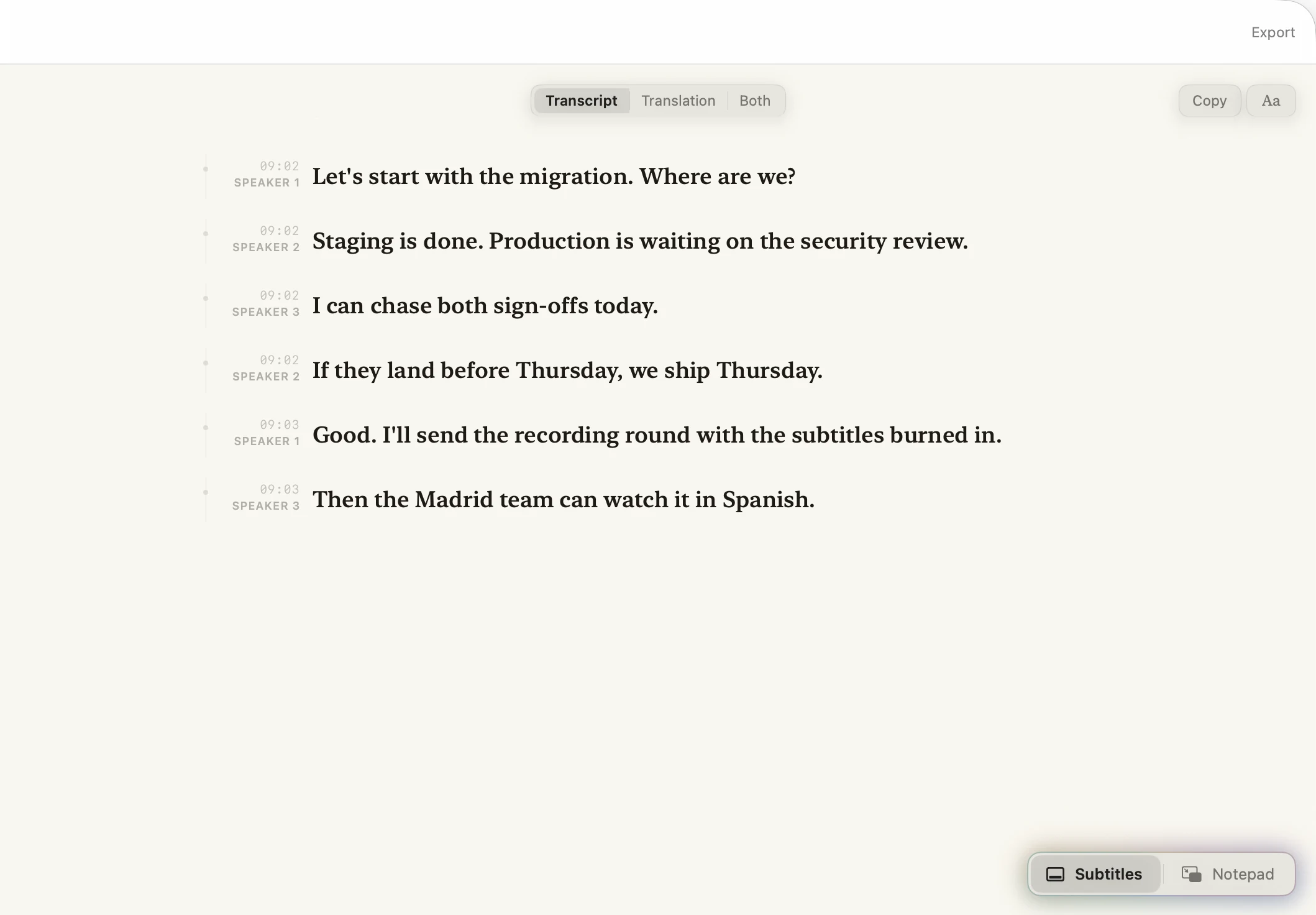
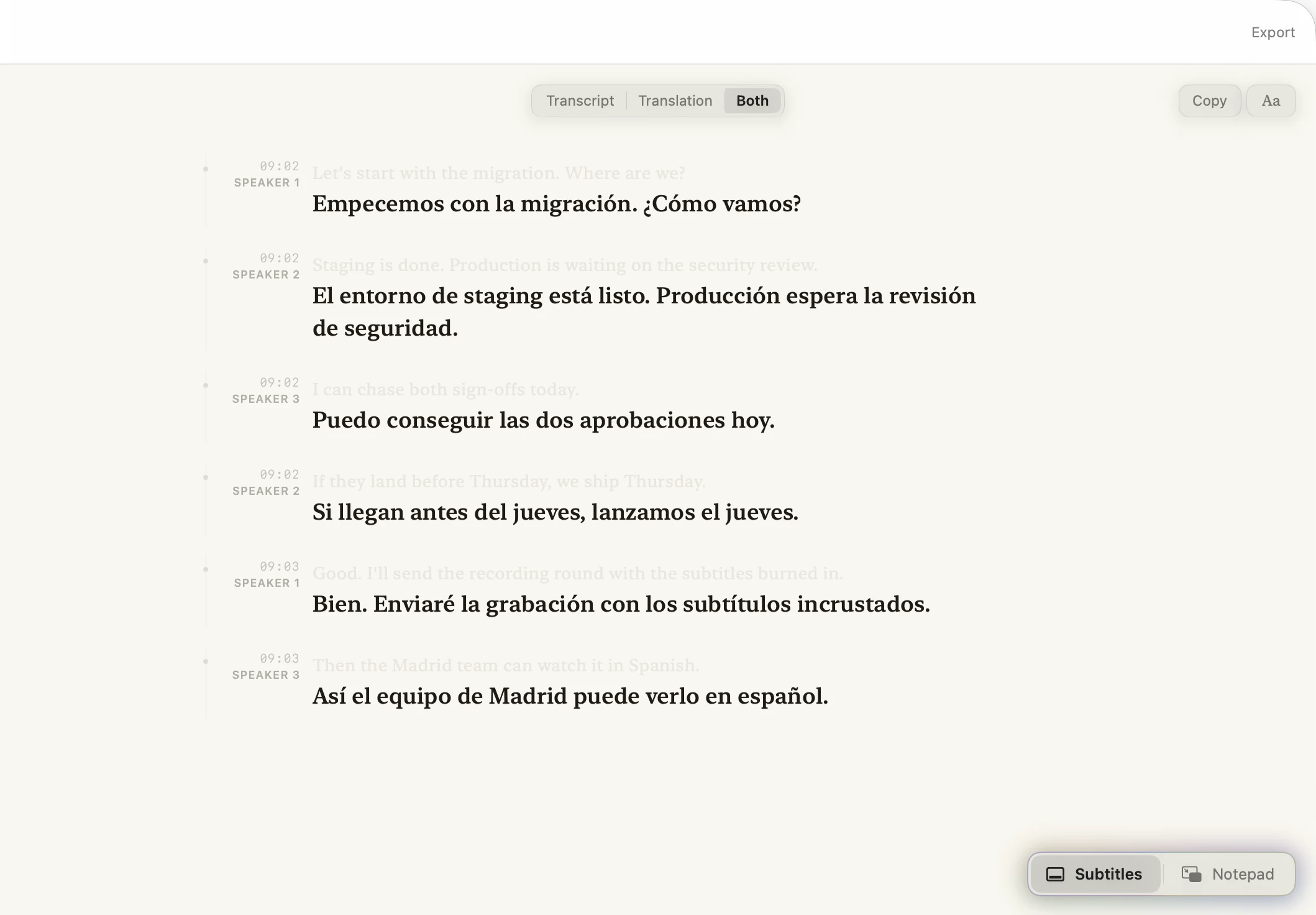
Let's start with the migration. Where are we?
Empecemos con la migración. ¿Cómo vamos?
09:02
Marcus
Staging is done. Production is waiting on the security review.
El entorno de staging está listo. Producción espera la revisión de seguridad.
09:02
Lena
I can chase both sign-offs today.
Puedo conseguir las dos aprobaciones hoy.
Lisez sur le papier qui vous plaît.Read in the paper you like.
Okato has nine reading themes, from plain white to Noir. The sidebar, toolbar and controls change with the page, and full screen keeps your choice. Or let it follow your Mac.
Niente esce dal tuo Mac.Nothing leaves your Mac.
- No cloud.
- No account.
- No upload.
- No subscription.
Everything Okato hears and writes stays on your Mac unless you export it, and the app never connects to the internet. Turn the Wi-Fi off and see.
Let's start with the migration. Where are we?
Empecemos con la migración. ¿Cómo vamos?
Staging is done.
El entorno de staging está listo.
I can chase both sign-offs today.
Puedo conseguir las dos aprobaciones hoy.
Okato isn't using the connection.
Say hello to Okato. Bye bye, language barrier.
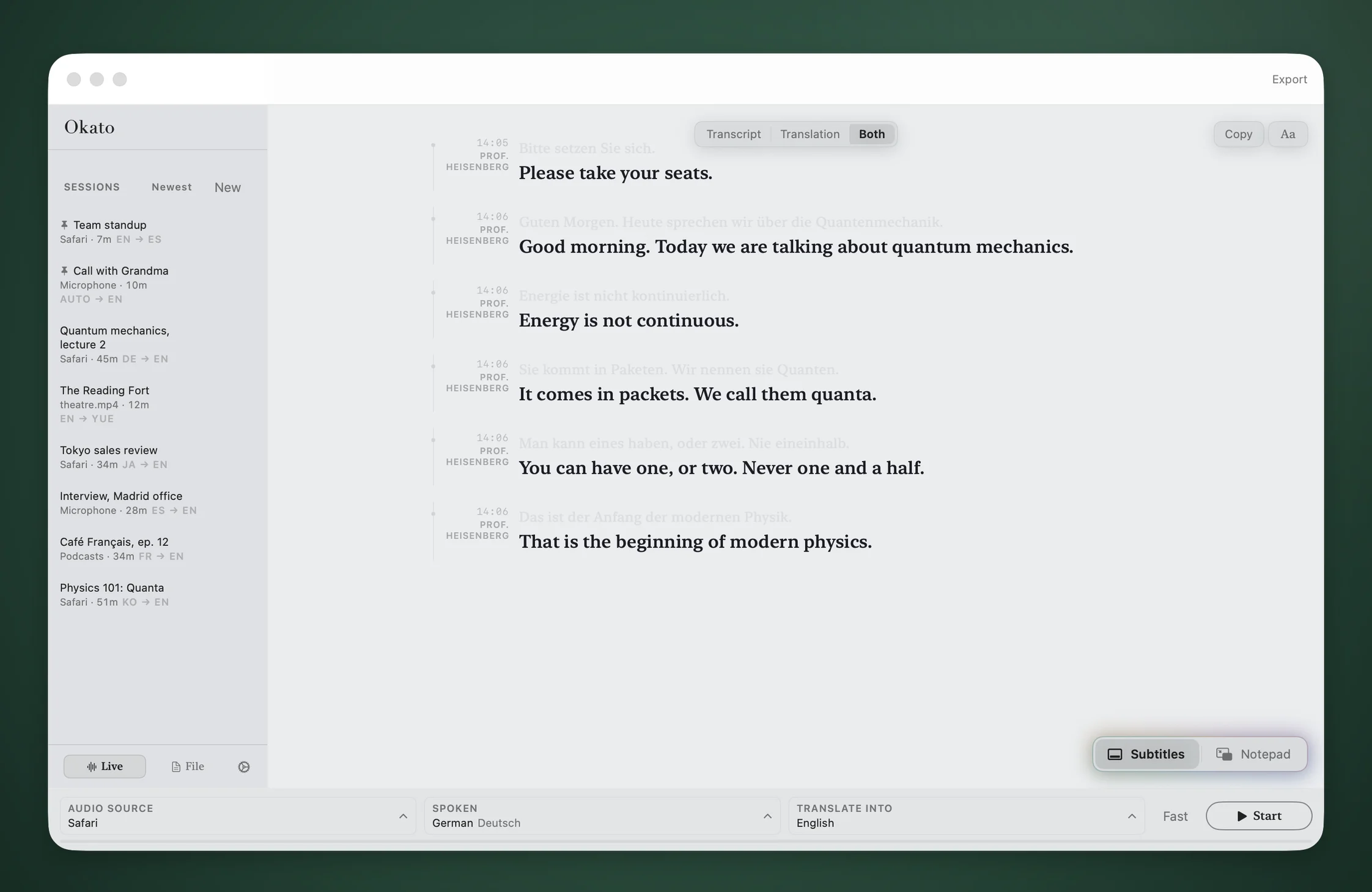
Play a meeting, a lecture, a call or a film, and Okato writes it down and translates it into your language as you listen. It runs entirely on your Mac, so there’s no account and nothing goes online.

£24.99 once · Apple Silicon · macOS 15 or later

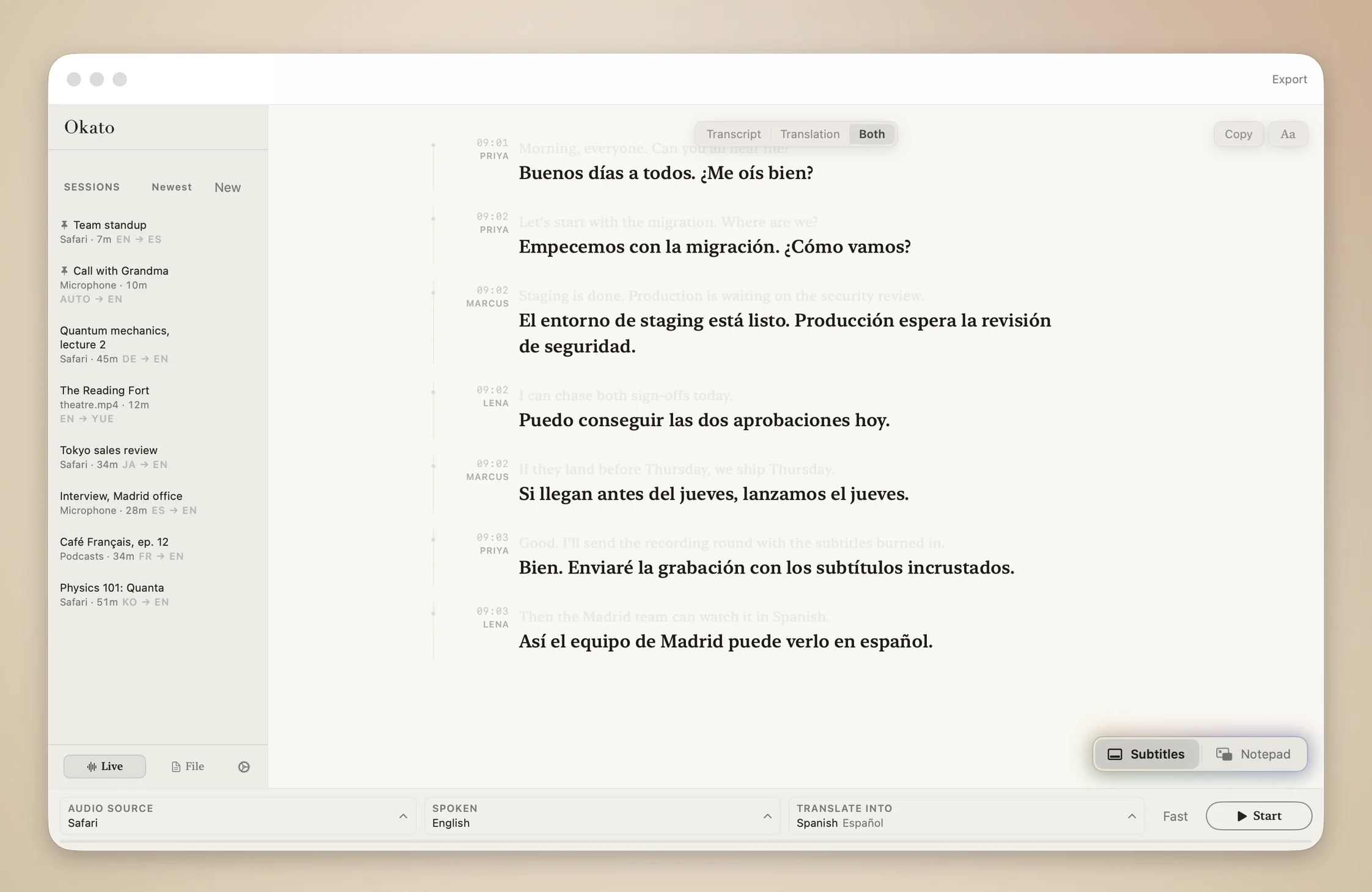
09:03
Lena
Then the Madrid team can watch it in Spanish.
Así el equipo de Madrid puede verlo en español.
How it works
Pick a source, pick a language, press Start.
1
Pick what to listen to
One app, everything your Mac is playing, or the microphone.
2
Choose your languages
Say what is being spoken, or let Okato work it out, and pick what to read it in.
3
Press Start
The transcript fills in as people talk, each line translated as soon as it is finished.
No meeting bot. Okato listens to the call on your Mac, so nothing extra joins the meeting and nobody has to let it in.
Listen · transcribe
Watch anything, read every word
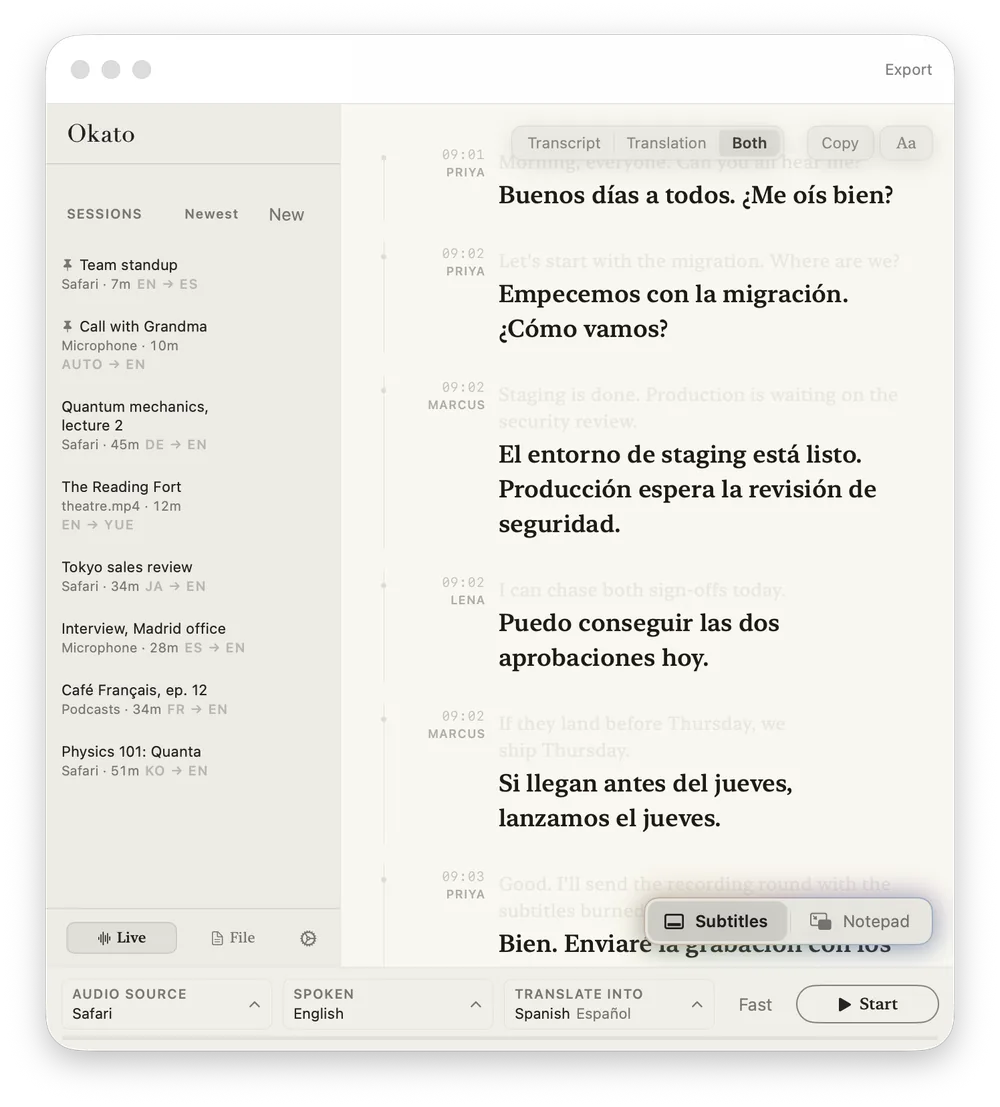
Okato listens to any app on your Mac, whether that's Safari, Chrome, a video call or a film, and writes a transcript as it plays. Each line gets a time and a speaker, and the page keeps up with the newest one.
- Any app or mic
- captured
- Timestamps & speakers
- every line
- Timeline
- follows along
Translate · in real time
Translated while it's still being said
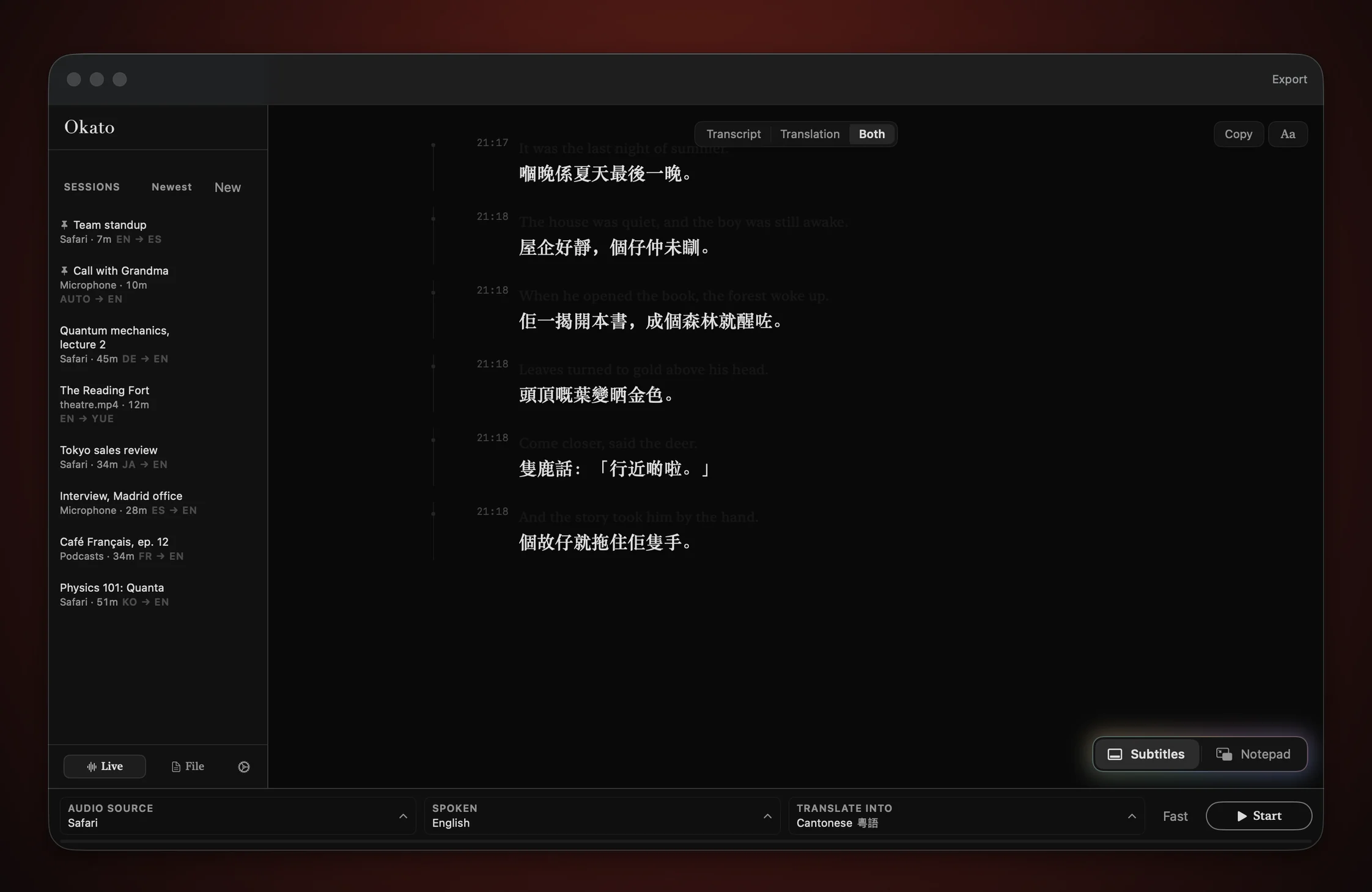
Each line is translated on your Mac as soon as it's heard. Live mode is built to keep up with the speaker. For a film or a recording, file mode takes longer, makes a more careful pass, and lines everything up with the picture.
- Live mode
- keeps up
- File mode
- most careful
- Languages
- 30
Speakers · who said what
A transcript that knows who's talking
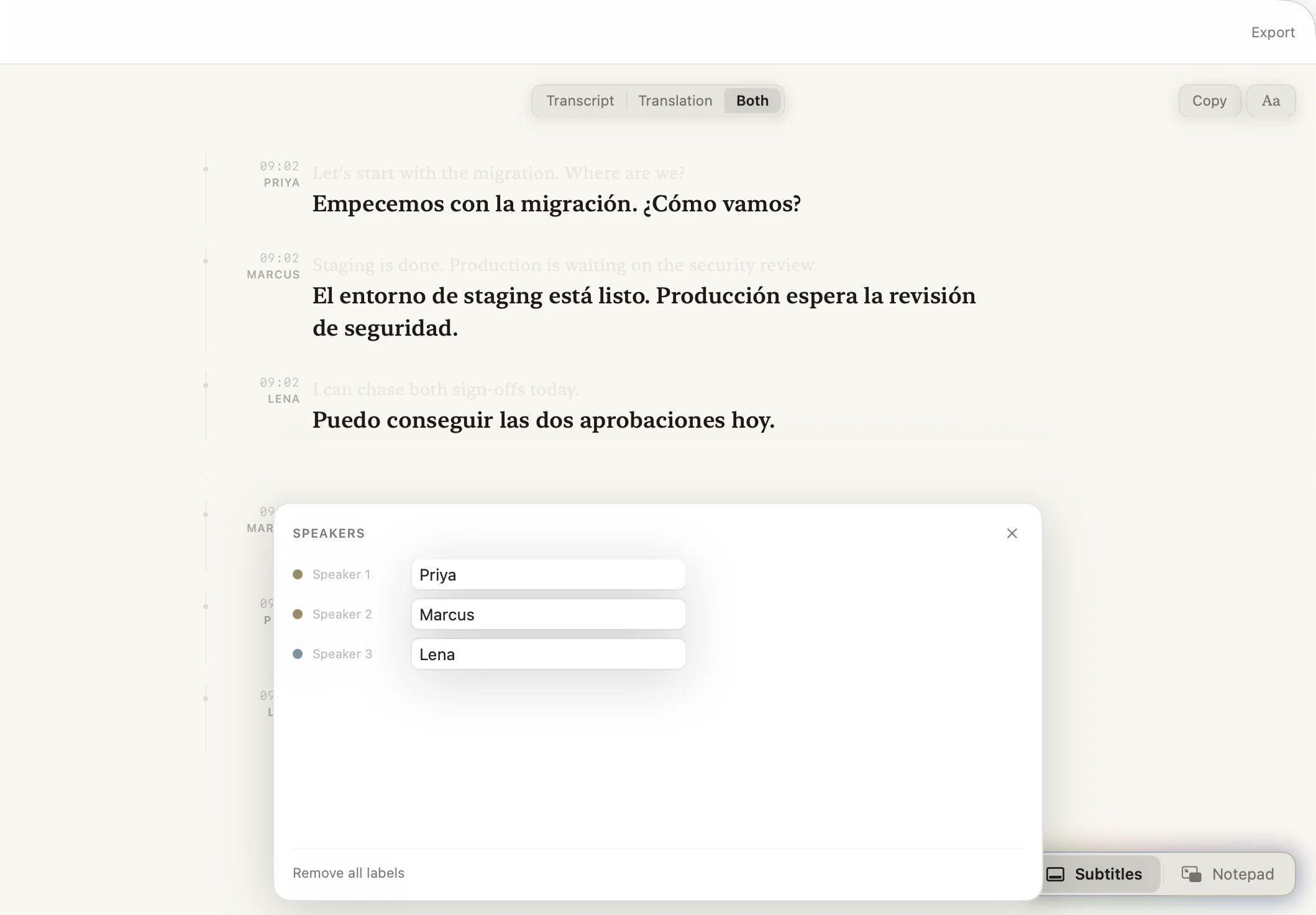
Okato tells voices apart and labels each line with who said it. Rename Speaker 1 to Priya once and every line changes with it, so a meeting or a podcast reads like a script.
- Voices
- separated live
- Labels
- renameable
Listen · transcribe
Watch anything, read every word
Okato listens to any app on your Mac, whether that's Safari, Chrome, a video call or a film, and writes a transcript as it plays. Each line gets a time and a speaker, and the page keeps up with the newest one.
- Any app or mic
- captured
- Timestamps & speakers
- every line
- Timeline
- follows along

Translate · in real time
Translated while it's still being said
Each line is translated on your Mac as soon as it's heard. Live mode is built to keep up with the speaker. For a film or a recording, file mode takes longer, makes a more careful pass, and lines everything up with the picture.
- Live mode
- keeps up
- File mode
- most careful
- Languages
- 30

Speakers · who said what
A transcript that knows who's talking
Okato tells voices apart and labels each line with who said it. Rename Speaker 1 to Priya once and every line changes with it, so a meeting or a podcast reads like a script.
- Voices
- separated live
- Labels
- renameable
Video calls · 30 languages
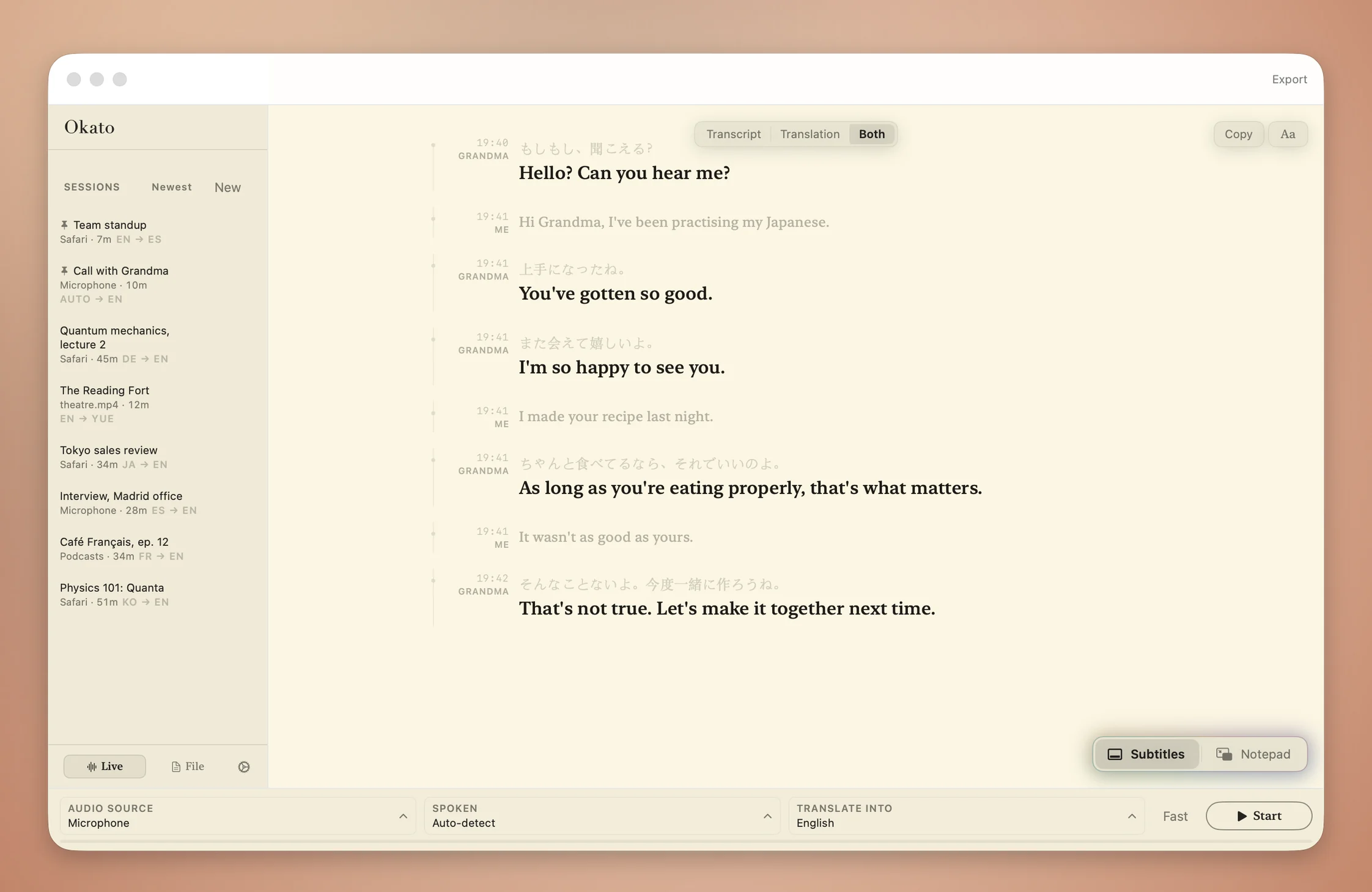
Video calls, that connect.
Thirty languages, all running on your Mac. Colleagues meet across borders. Grandchildren talk to grandparents. Everyone understands.

Hi Grandma, I've been practising my Japanese.
上手になったね。また会えて嬉しいよ。
You've gotten so good. I'm so happy to see you.
Quantafiable
Lectures and class, now with an extra pair of ears.
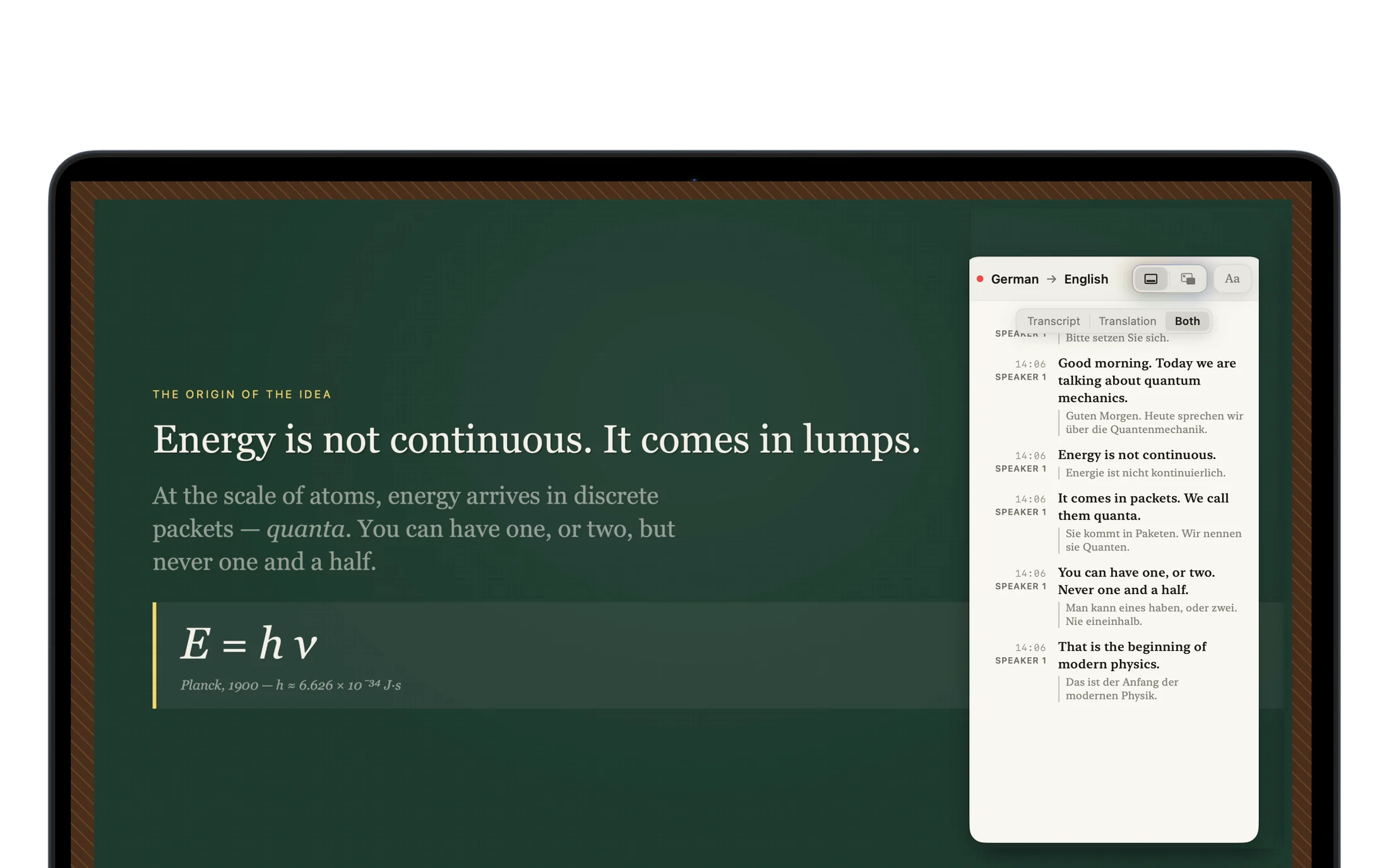
Follow a lecture as it’s given, read it in your own language, and keep the notes afterwards as a PDF, Markdown or plain text.
File & theatre mode
Films in your language
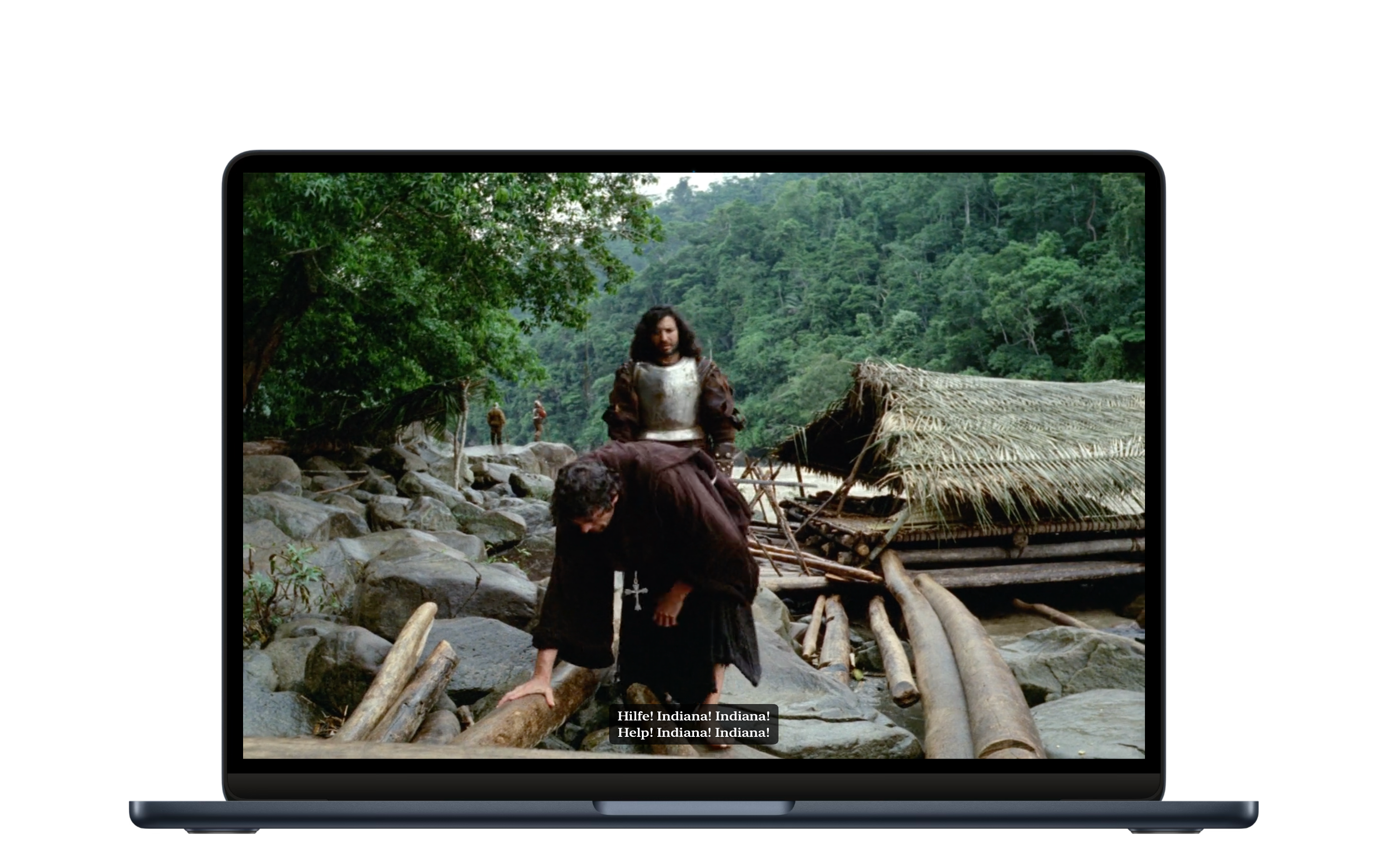
Drop in a film or a clip and Okato transcribes all of it carefully, with speakers labelled if you want them. Then play it full screen with subtitles in your language.
When he opened the book, the forest woke up.
佢一揭開本書,成個森林就醒咗。
And the deer stepped out to meet him.
跟住隻鹿就行咗出嚟見佢。
Subtitles · notepad
Subtitles on top of anything
Subtitles sit over any app, full screen included, and clicks go straight through them to whatever is underneath. If you'd rather look back at what was said, open the notepad: a small panel that keeps the whole conversation.
- Click-through
- always
- Position, size, opacity
- yours
- Scrollback
- included

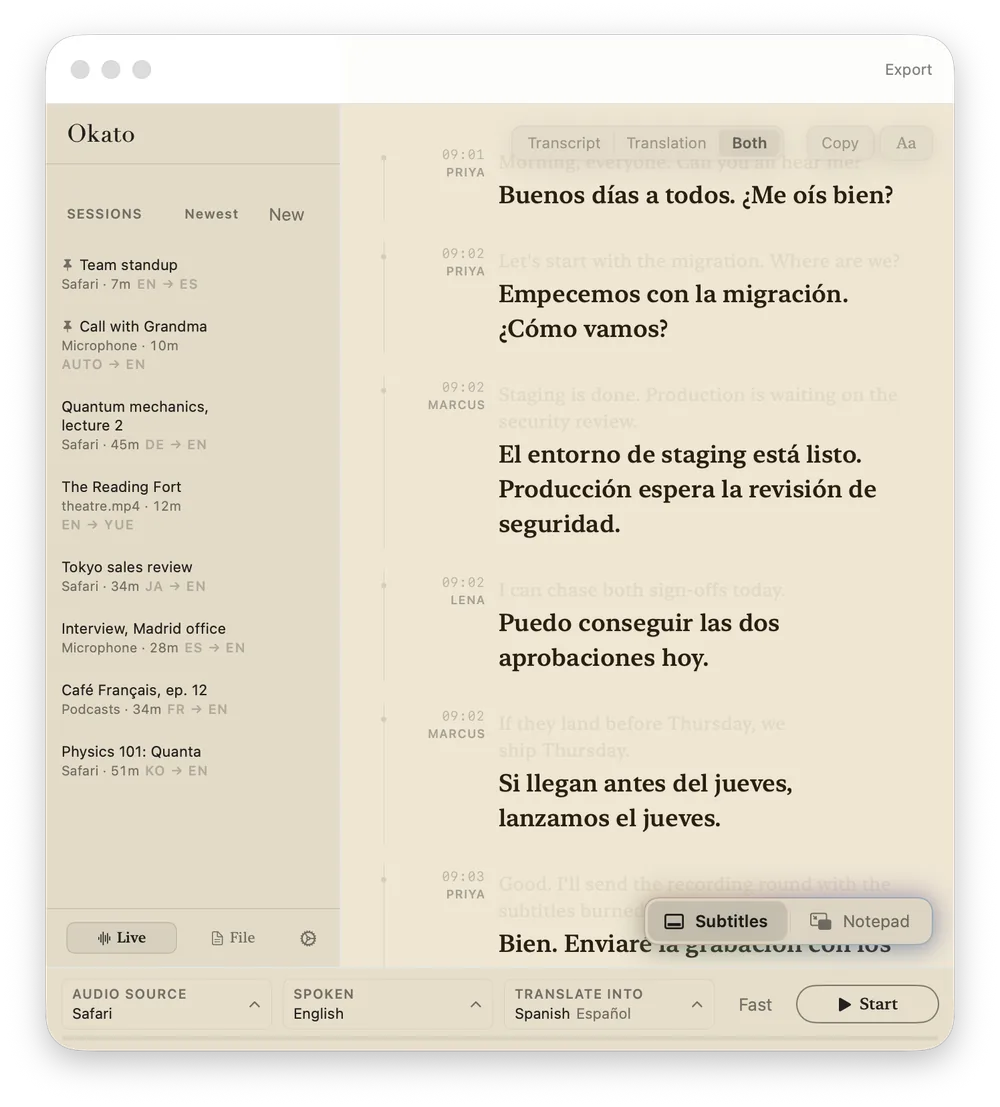
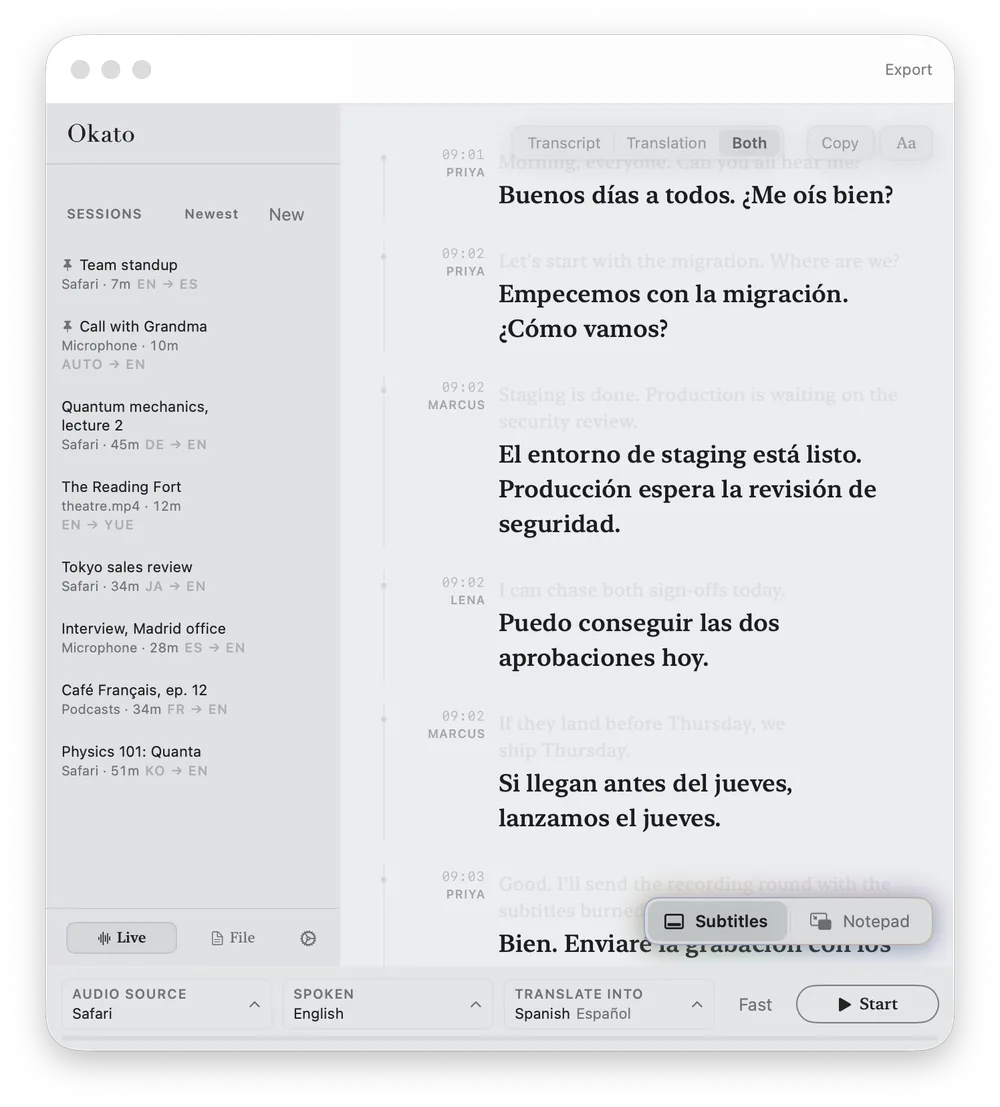
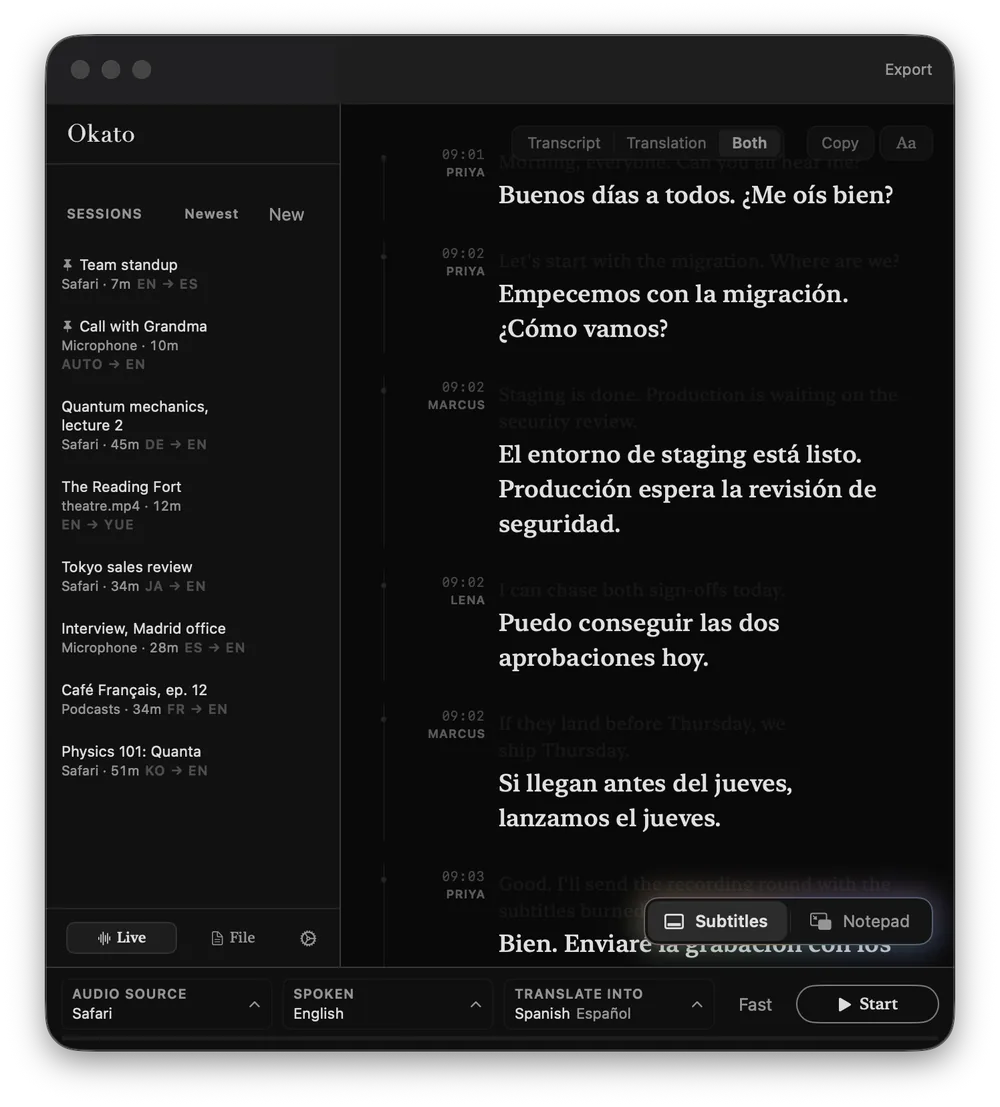
Reading themes
Read in the paper you like.
Okato has nine reading themes, from plain white to Noir. The sidebar, toolbar and controls change with the page, and full screen keeps your choice. Or let it follow your Mac.
Launch price
£24.99
£49.99 · once
- Transcription & translation
- 30 languages
- Subtitles & notepad overlays
- over any app
- File mode
- burned-in MP4 export
- Updates
- free, no subscription
Works offline. No subscription. Full pricing
Nothing leaves your Mac.
Everything Okato hears and writes stays on your Mac unless you export it. There’s no account, and the app never connects to the internet.
Get Okato